

School-level feature — managed within your school portal at
yourschool.deandesk.com.Video walkthrough
This walkthrough uses the real DeanDesk interface with the fictional Northstar Academy demo school and a calm, AI-generated English voice. Payments and outside services are not connected in the demo.
Use Save Changes to apply edits. While you have unsaved changes, a Reset button appears so you can discard them. Click Refresh to reload the current settings. Logo, colors, typography, site navigation, footer, and app menus are managed in the separate Website console; see School branding and Pages.
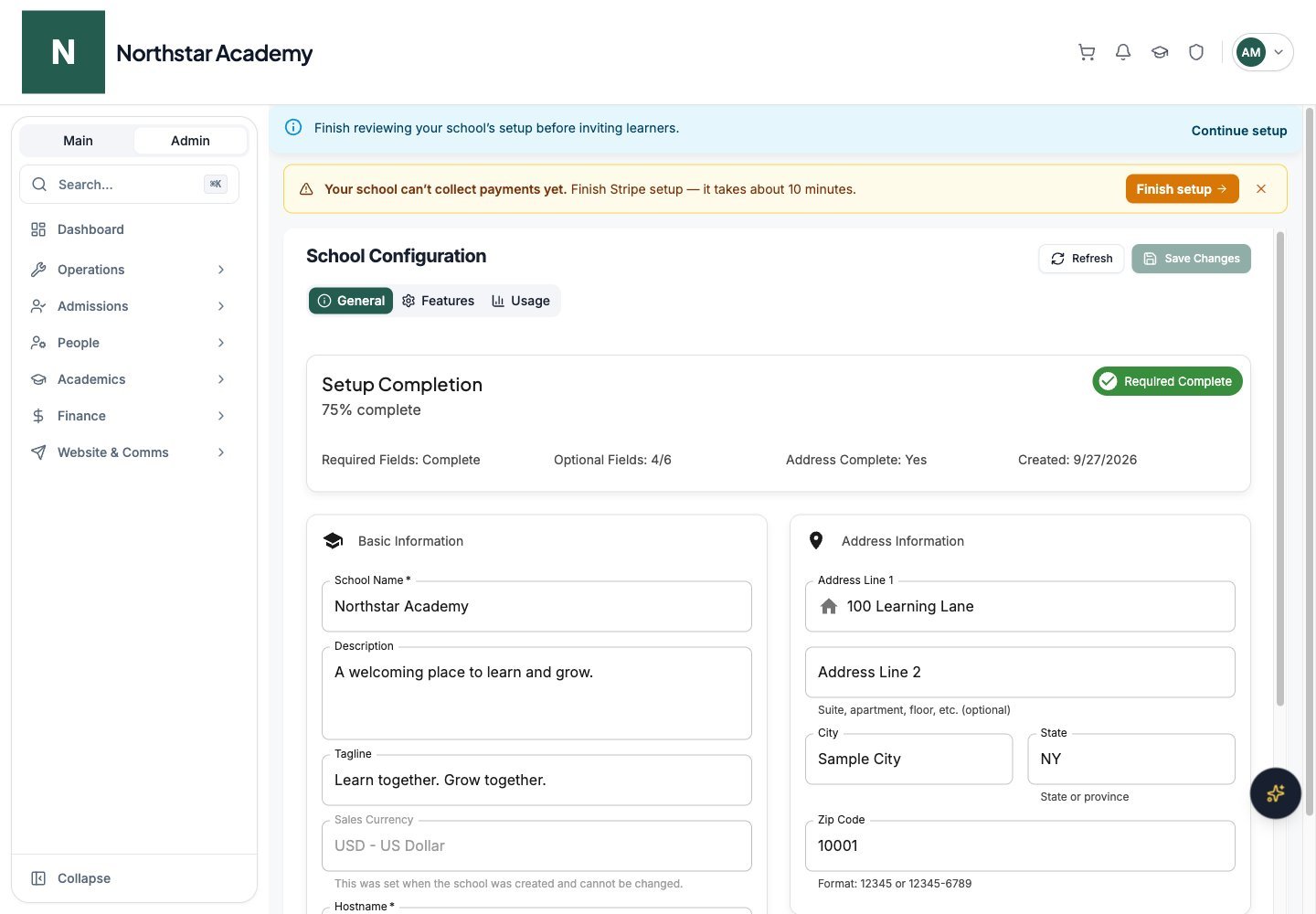
Northstar demo — School Configuration — General
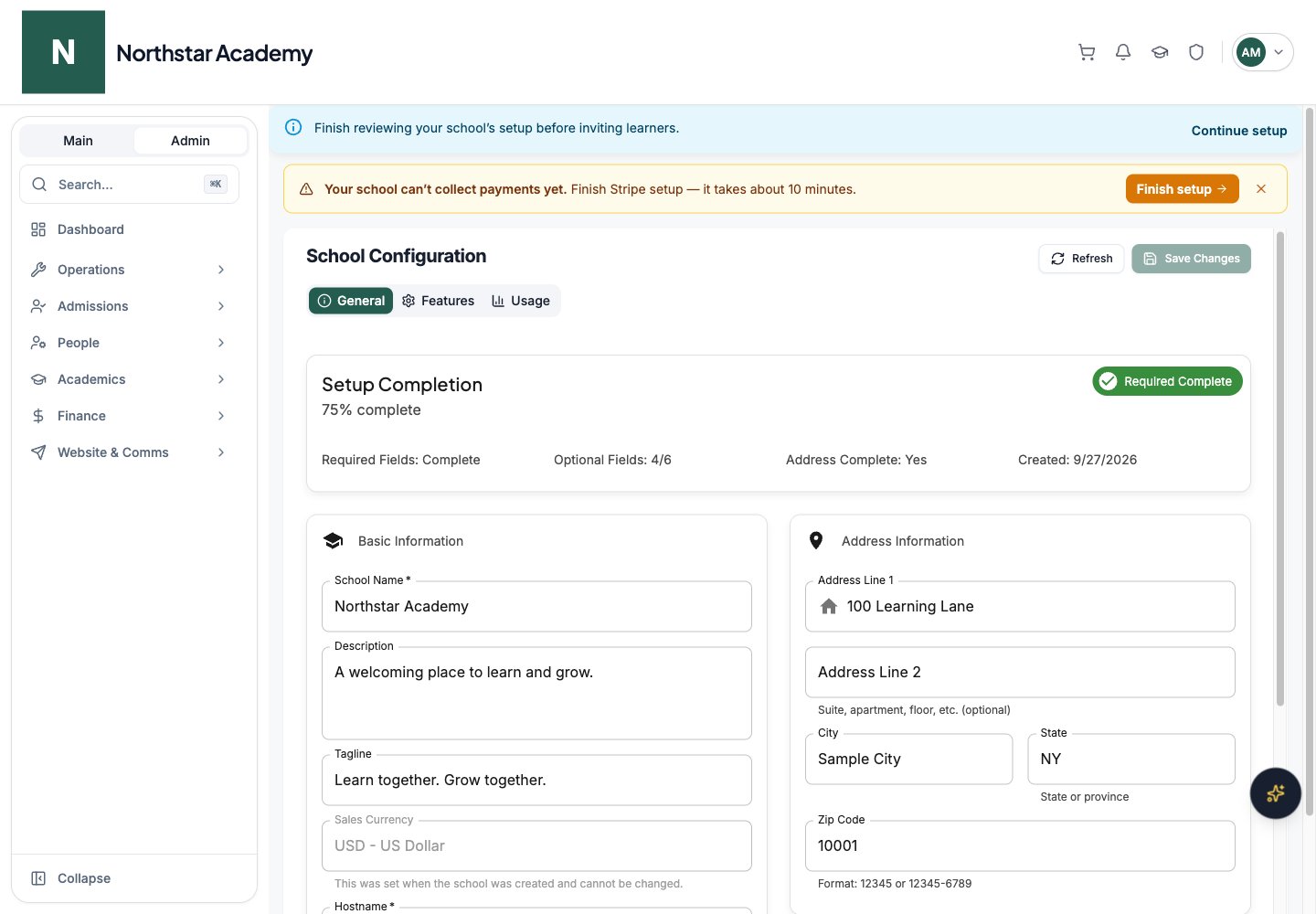
Sales currency
The General tab includes a read-only Sales Currency field showing the currency your school sells in (e.g.USD - US Dollar). All product prices across your school use this currency.
DeanDesk supports four sales currencies: USD, GBP, EUR, and CAD.
Features
The Features tab turns individual platform features on or off for your whole school.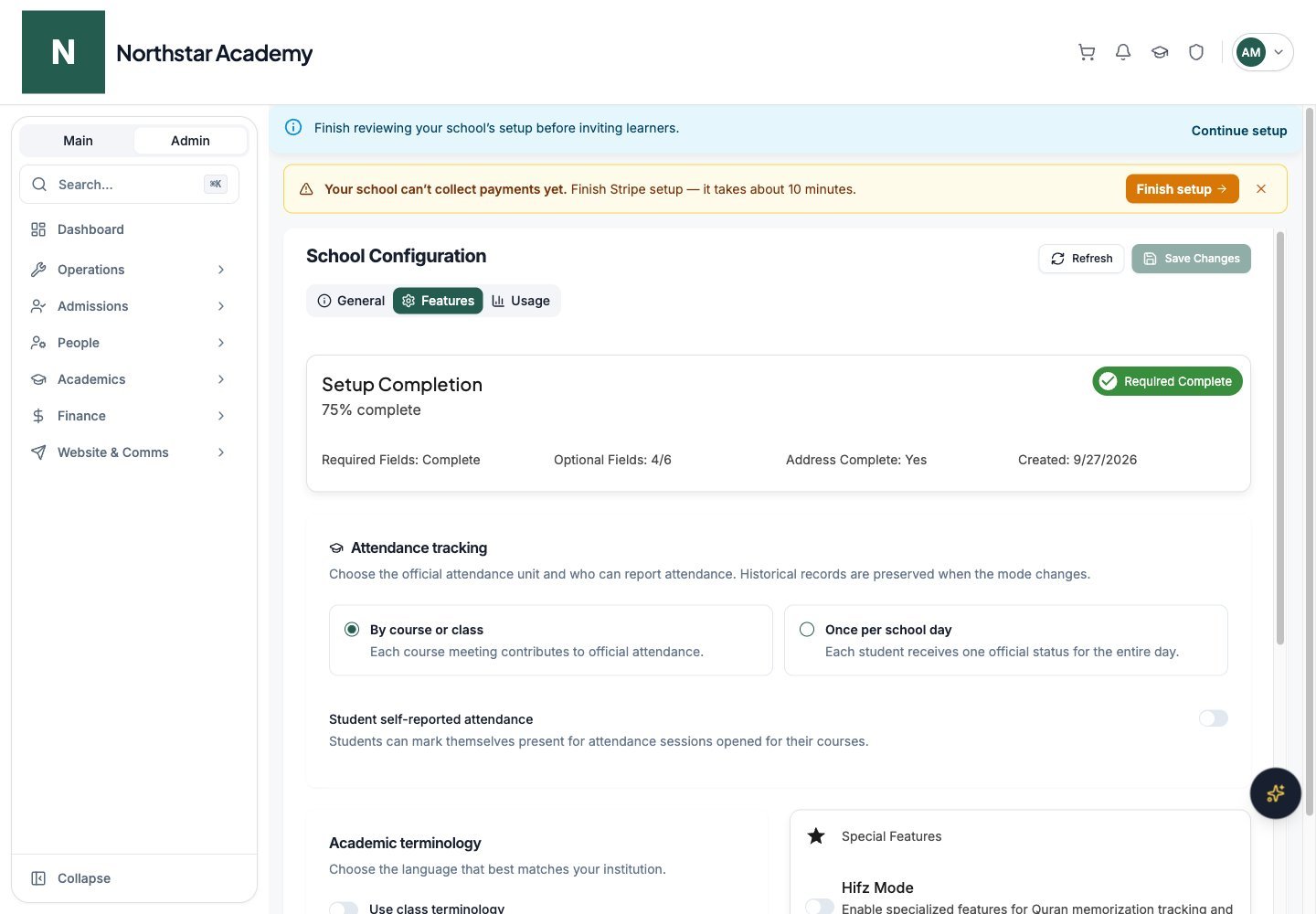
Northstar demo — School Configuration — Features
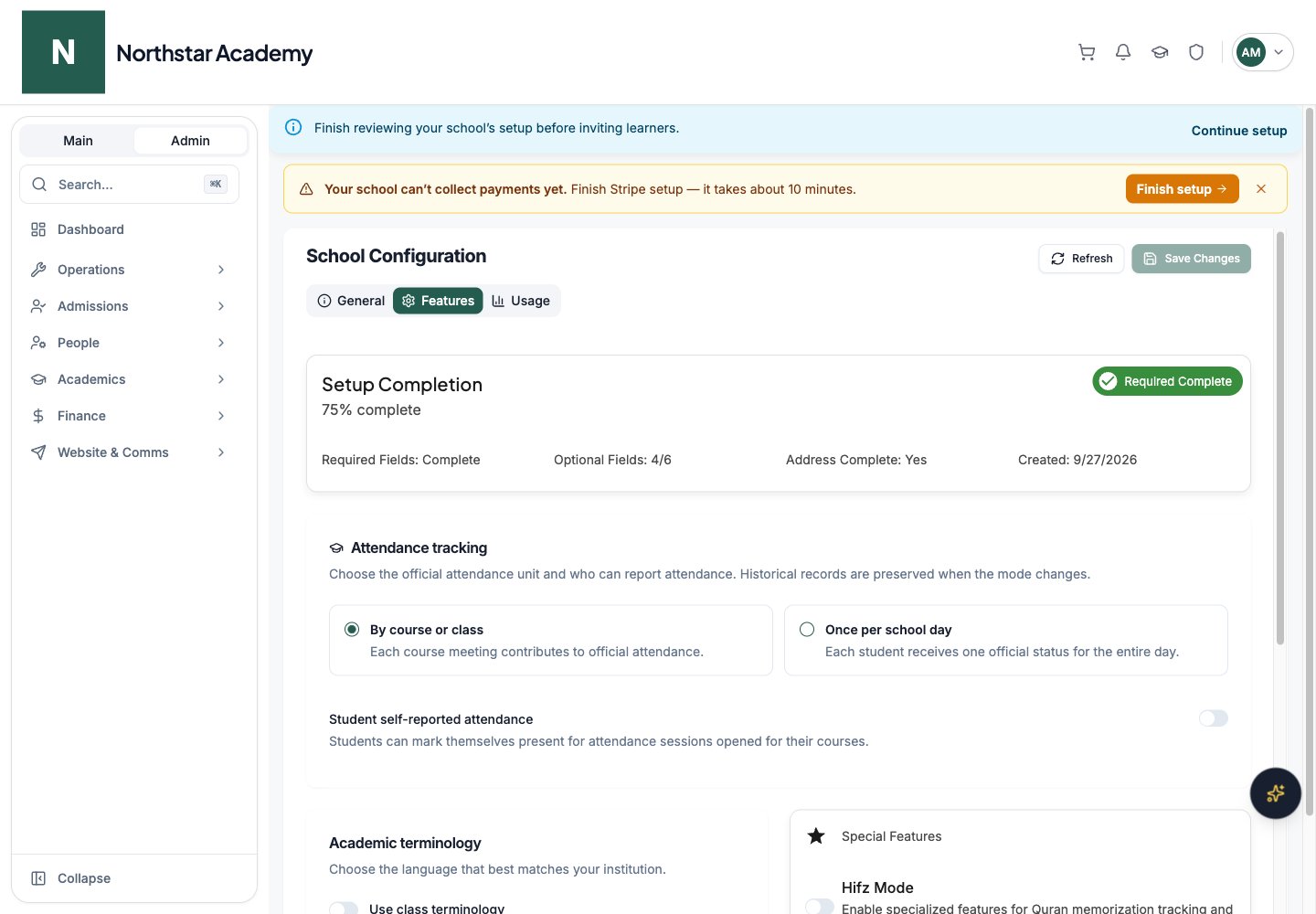
Academic terminology
The Use class terminology switch changes the wording used throughout the app. When on, DeanDesk shows “Class” and “Classes” instead of “Course” and “Courses” — in the interface, automatic emails, and reports.Attendance tracking
In the Attendance tracking card, choose By course or class for one attendance record per course meeting, or Once per school day for one official daily status per student. Changing modes preserves historical records. With Once per school day selected, Allow teachers to manage daily attendance controls whether teachers can help maintain the daily register. Student self-reported attendance lets students mark themselves present for the current school day or an open course attendance session, depending on the selected mode. Admins can reopen finalized daily attendance. See Attendance for marking, finalizing, and monitoring attendance.Grading standards
The separate Grading Standards page defines school-wide letter grades, percentage cutoffs, and GPA points. See Gradebook. Academic grade levels on user profiles are distinct from this assessment scale.Hifz Mode
The Special Features card includes a Hifz Mode switch. Turn it on to enable specialized features for Quran memorization tracking and management throughout your platform.Disciplinary records
The Enable disciplinary records switch activates incident reporting and administrator case management. When on, teachers can report incidents, and administrators can search cases, record decisions, and contact parents from the disciplinary workspace on the admin and teacher dashboards. See Disciplinary records.Volunteer hours visibility
The Volunteer Hours card includes a Show volunteer hours to non-admin users switch. When off, parents, volunteers, students, and teachers cannot see or submit volunteer hours — but admins can still review and manage previously submitted hours from the admin area. See Volunteer management.Dashboard Type
Under Dashboard Settings, choose which home dashboard logged-in users see:This setting determines the home experience for all logged-in users. Users can still navigate to other pages using the sidebar menu.
Navigation
Website → App Menus controls which menu items appear for signed-in users. Public header links are configured separately under Website → Site Navigation. Open Admin Dashboard → Website: use Site Navigation for public header/footer links and the home page, and App Menus for signed-in navigation. Save pending changes before switching settings tabs.Main sidebar menu items
Toggle each item on or off to control what appears in the main navigation sidebar: Dashboard, Calendar, My Assignments, Student Services, Manage Teaching, Course Catalog, Events Catalog, Programs, Discussions, Community, and Projects. The Programs switch independently controls the member-facing Programs entry; it does not create or publish programs. Use the Custom Pages field to add pages you’ve built in the Page Manager to the sidebar.Hide Quick Actions
The Dashboard card includes a Hide Quick Actions switch. Turn it on to hide the quick actions section on the logged-in dashboard for all desktop and mobile users in your school.This setting affects the logged-in dashboard only — it does not change your public pages.
Mobile app tabs
Control which tabs appear in the mobile app navigation: Dashboard, Calendar, Events, Feed, Community, and Discussions. You can also add Custom Pages as app tabs.Profile menu items
Control which items appear in each user’s My Profile section: My Profile, My Family, My Transcript, Assigned Forms, My Payments, Payment Methods, and Billing History.Footer
Website → Site Navigation controls the content of the footer shown at the bottom of your school’s site. (Footer background and text colors are set under Branding.)- Copyright Statement — the text shown in the footer, up to 200 characters. Leave it blank to use the default: © followed by the current year and your school’s name.
- Footer Links — click Add Link to add up to 12 links, each with a Label and a URL. Use the delete icon to remove a link.
A “Powered by DeanDesk” link always appears alongside your footer links.
Usage
The Usage tab shows how your school is using the platform.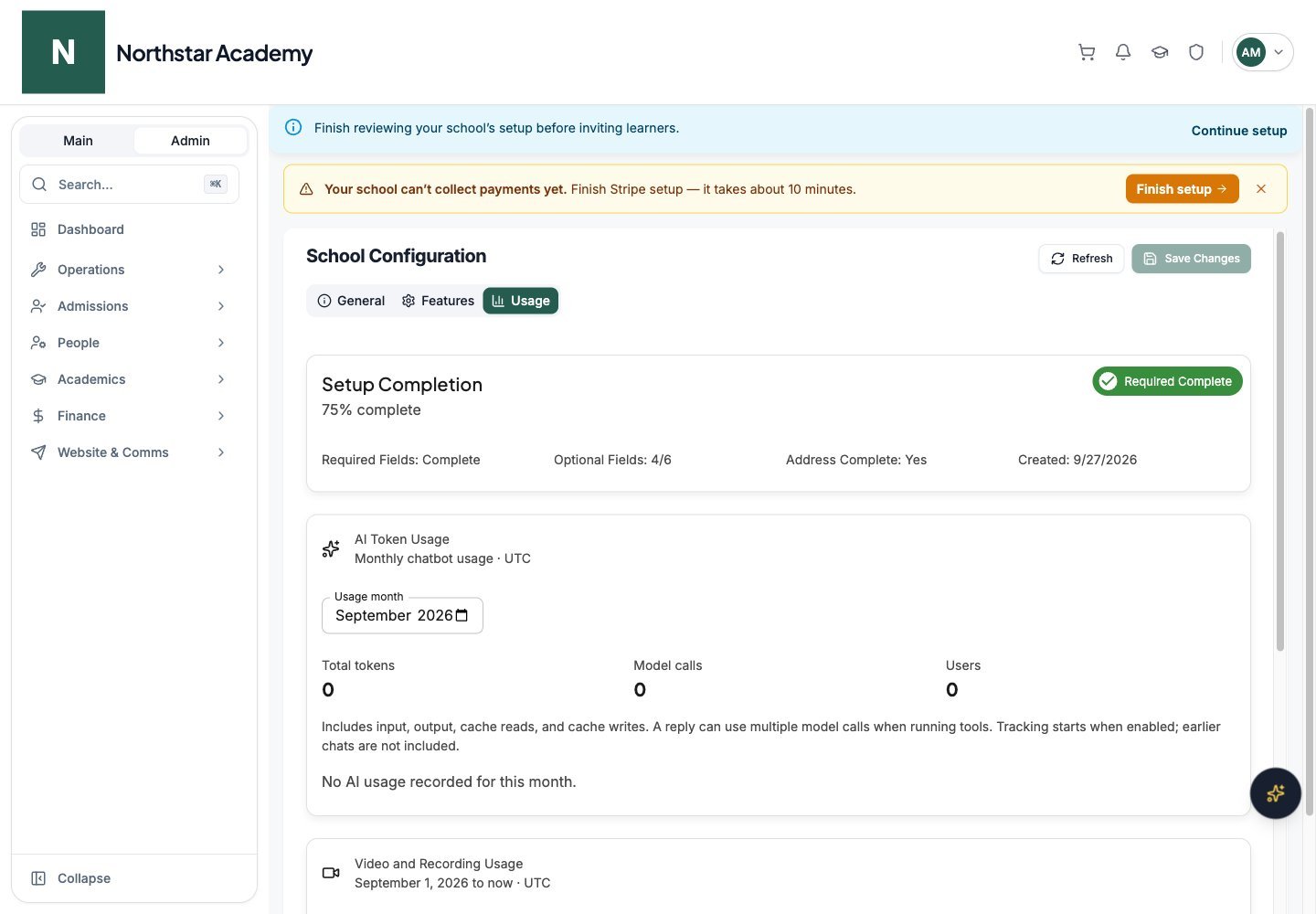
Northstar demo — School Configuration — Usage
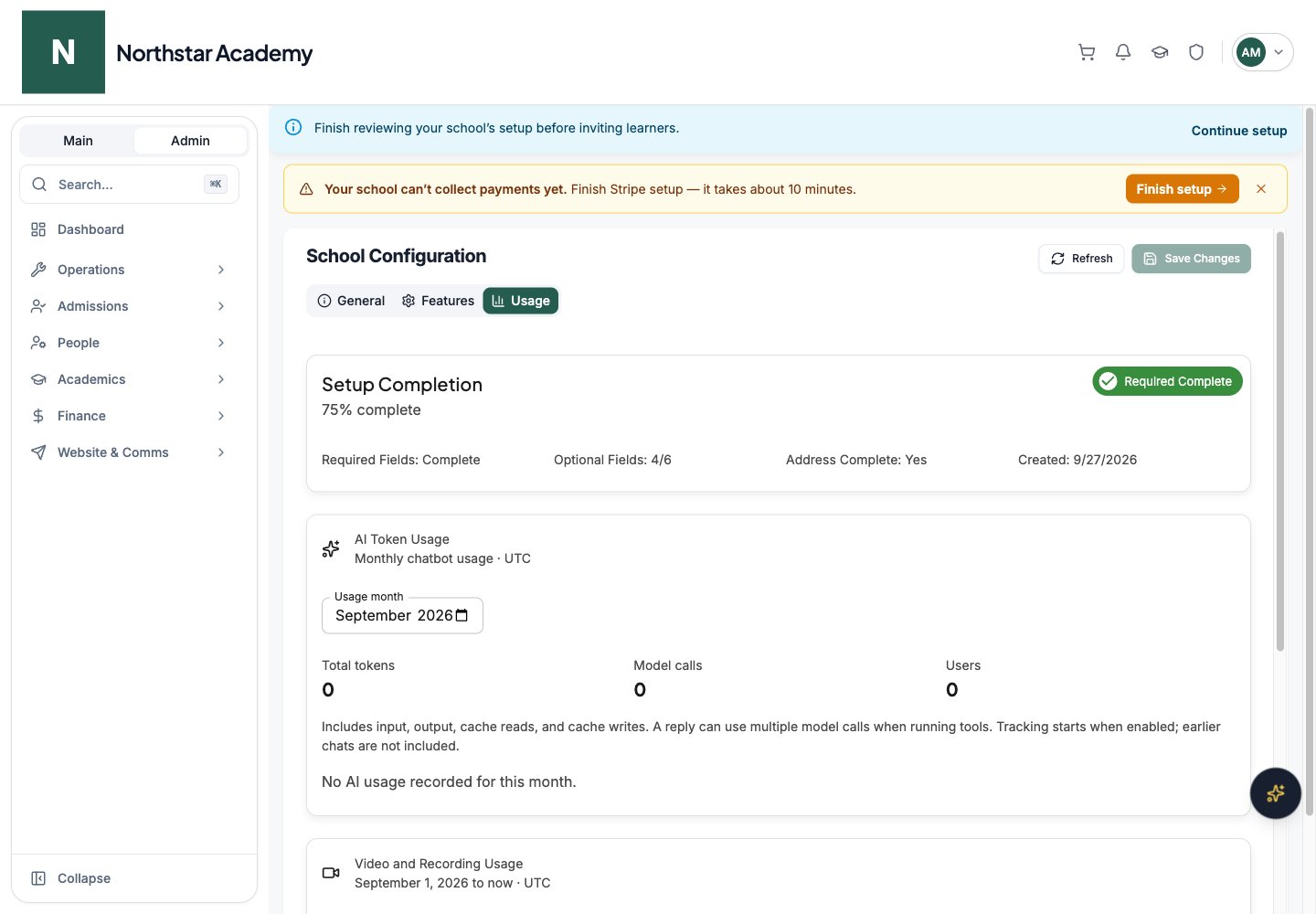
AI token usage
The AI Token Usage card shows how much your school’s admins used DeanDesk AI in a given month (UTC). Pick a Usage month to see total tokens, model calls, and the number of users, with breakdowns by model and by user.Storage Usage
The Storage Usage card shows:- Total storage size and object count
- A bar per content category, with each category’s size, count, and percentage of the total
- A “calculated at” timestamp showing when the numbers were last computed
Video and recording usage
The Video and Recording Usage card shows the current UTC month’s usage. Video-call minutes are counted per participant while video is received: a 30-minute call with four receiving participants uses 120 minutes. Recording minutes count once for the recording duration, regardless of participant count.Active Students
The Active Students card shows your active, inactive, and total student counts at a glance.Next steps
School branding
Customize your logo, colors, and custom domain.
Configure payments
Connect Stripe and set up products in your sales currency.